Dynamic Meal Planning: Features to Look For
Dynamic Meal Planning: Features to Look For
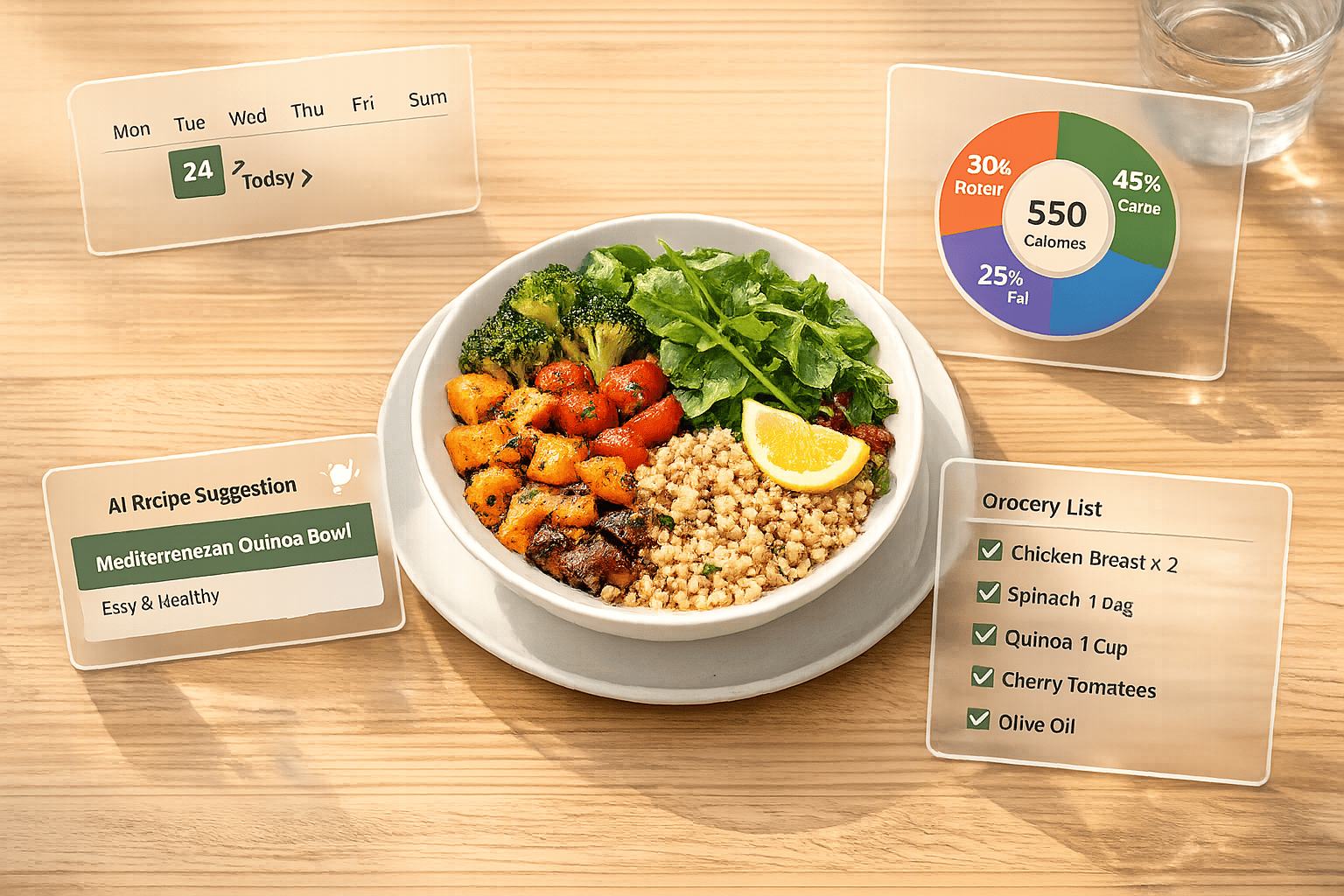
Dynamic meal planning tools save time, reduce stress, and help manage nutrition and food costs. These AI-powered tools create personalized meal plans based on your dietary needs, cooking skills, and available ingredients - all in minutes. Key features to look for include:
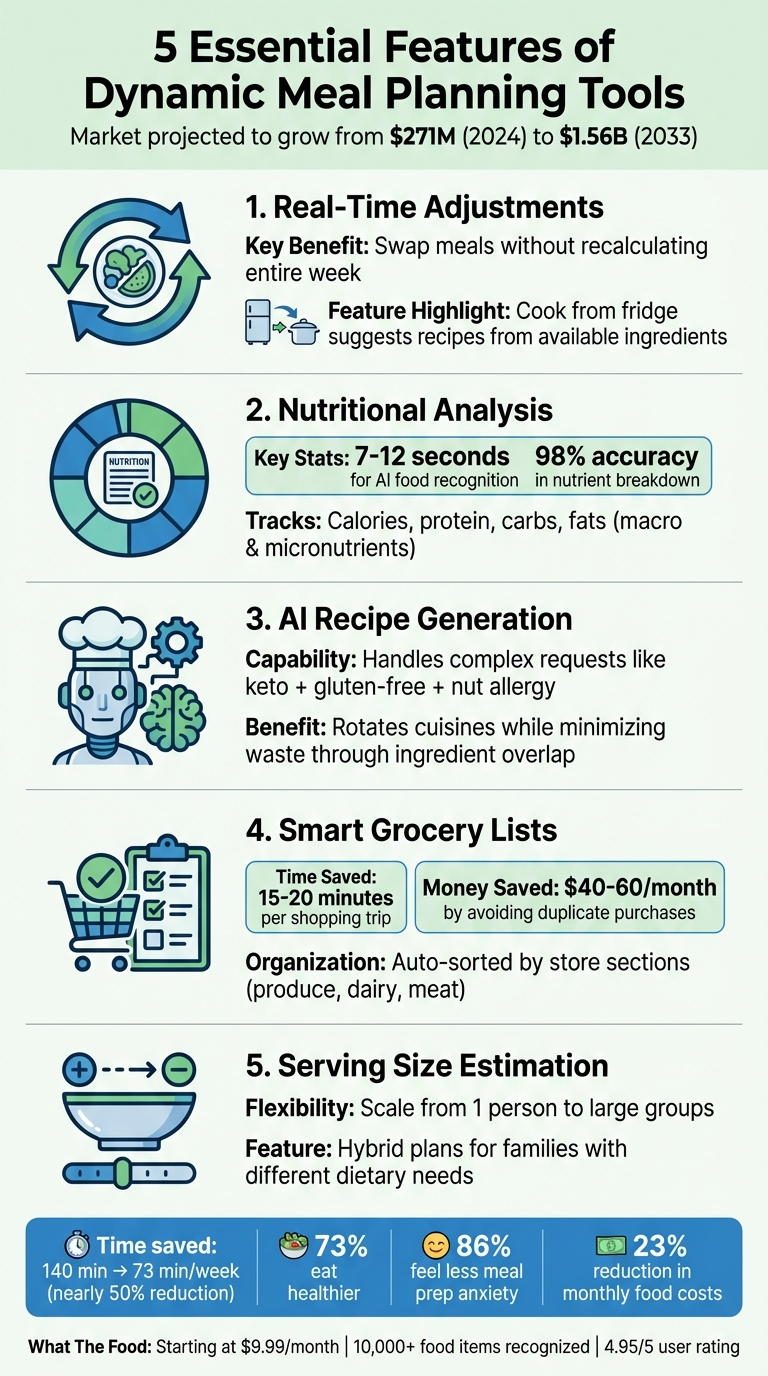
- Real-Time Adjustments: Swap meals or update plans without hassle.
- Nutritional Analysis: Track macros and calories with precision.
- AI Recipe Generation: Get tailored recipes for specific diets or preferences.
- Smart Grocery Lists: Auto-organized shopping lists that cut waste and save money.
- Serving Size Estimation: Scale recipes for any household size.
With the U.S. market for meal planning tools projected to grow from $271M in 2024 to $1.56B by 2033, these tools are becoming more advanced and accessible. One standout option, What The Food, offers features like food photo recognition, calorie tracking, and custom meal plans, starting at $9.99/month. Whether you're managing diverse dietary needs or simplifying meal prep, these tools offer a practical solution for busy lifestyles.
5 Essential Features of Dynamic Meal Planning Tools
Using Artificial Intelligence to Meal Plan
sbb-itb-034be4e
Key Features in Dynamic Meal Planning Tools
Meal planning tools vary widely in what they offer. The true game-changer lies in features that not only save you time but also cut down on food waste and make sticking to your nutrition goals easier. Here's a closer look at what sets top-tier tools apart.
Real-Time Adjustments
Life happens, and plans change. The best tools let you swap out a single meal without recalculating your entire week's plan. Some even include a "cook from fridge" feature, which suggests recipes based on the ingredients you already have on hand. This flexibility is a lifesaver for busy schedules.
Nutritional Analysis
Staying on top of your nutritional goals is easier with tools that offer real-time macro and micronutrient tracking. Leading platforms automatically recalculate calorie, protein, carbohydrate, and fat totals when you tweak serving sizes or ingredients. Some even use AI-powered food recognition to provide a detailed nutrient breakdown from a photo in just 7 to 12 seconds, with 98% accuracy. Whether you’re working toward muscle gain or following a specialized diet like DASH, this instant feedback helps you stay on track.
AI-Powered Recipe Generation
Forget static recipe databases - modern planners use advanced language models to create personalized recipes. You can ask for options like "meals my toddler will actually eat" or "keto + gluten-free + nut allergy", and the AI generates recipes tailored to your needs. These tools also rotate cuisines to keep things fresh while ensuring ingredients overlap (e.g., using leftover yogurt from Monday in a Wednesday recipe). This approach minimizes waste and keeps grocery costs in check.
Smart Grocery List Builder
Shopping becomes a breeze with auto-generated grocery lists that consolidate items - think "3 onions" instead of multiple entries. The best tools let you mark pantry staples you already have, saving you from unnecessary purchases and potentially reducing your grocery bill by $40–$60 each month. Lists are also organized by store sections like produce, dairy, and meat, shaving 15–20 minutes off your shopping trip.
Serving Size Estimation
Cooking for one or a crowd? Advanced tools adjust ingredient quantities to match your serving needs, whether you're dining solo or hosting guests. Some even offer hybrid plans, where part of the family shares meals while others get customized options tailored to their specific diets.
These features work together to make meal planning easier, more efficient, and aligned with your nutrition goals.
How to Choose the Right Tool
Compare Features to Your Goals
When selecting a tool, align its features with your specific dietary and household needs. For example, if your family has diverse requirements - like someone following a DASH diet while kids need higher-calorie options - look for tools with Hybrid modes. These allow some members to share meals while others receive customized plans. Test whether the tool can handle detailed requests, such as a "1,600 kcal vegetarian plan, no dairy, 130g protein", without requiring manual adjustments. Tools powered by large language models tend to handle such complex demands better than those relying on preset filters.
Budget and time efficiency are also key. A $5/month app that requires an hour of manual tweaking is less efficient than an $8/month option that automates tasks and saves you three hours. A good tool should deliver a personalized plan in under 10 minutes. Once the features match your needs, practical testing will reveal how well the tool performs in practice.
Test Real-Time Adjustments
After narrowing down your options, evaluate how well the tool adapts to changes. For instance, try swapping out a single meal and see if it updates just that dish without altering your entire week's plan. Check how it handles missing ingredients - like replacing tomatoes instantly and accurately - or scaling a recipe from 2 to 6 servings without errors.
Another useful test is shifting a planned Monday dinner to Wednesday with a single click and confirming that the grocery list updates automatically. A user of Ollie AI shared this experience:
If I want to shift everything down by a day (if we just want a pizza that night), Ollie does that for me.
Once you've confirmed the tool's adaptability, focus on its interface to ensure it's user-friendly.
Check User Interface and Ease of Use
Take advantage of free trials to evaluate the tool's interface - some apps even offer 3-day trials without requiring a signup or credit card. Test its "Cook Mode" by following a recipe step-by-step to ensure the instructions and timers are easy to follow.
Look for features that minimize typing, such as importing recipes directly from websites or social media. Verify that the grocery list is well-organized by store sections for convenience. Also, check if the app syncs seamlessly between your phone and computer. These usability checks will help determine if the tool meets both your technical and practical expectations.
What The Food: A Dynamic Meal Planning Solution
AI Food Detection and Calorie Analysis
What The Food uses its advanced AI to identify over 10,000 food items from just a single photo. Within 7–12 seconds, it delivers a full nutritional breakdown, including calories, macronutrients (protein, carbs, fat), and micronutrients, with an impressive 98% accuracy rate.
So far, the platform has analyzed more than 150,000 meals across 180+ countries and boasts a stellar 4.95/5 user rating. Sports Nutrition Partner Gemma Ray, RDN, highlights its utility, saying:
The accuracy and clarity help our athletes understand what fuels their performance. It's like having a dietitian assistant available 24/7.
New users can try the system with 3 free scans before deciding on a subscription.
Macro Tracking and Recipe Generation
What The Food goes beyond food detection by offering tools for detailed nutritional tracking and personalized meal planning.
The app creates custom meal plans tailored to specific diets - whether keto, low-carb, or balanced - that align with your fitness goals, target weight, and timeline. During setup, you can specify allergies or dietary restrictions, such as vegan or gluten-free options. Using your profile data, including age, weight, and health goals, the AI delivers meal suggestions designed just for you.
Another standout feature is the Recipe Generator. It identifies ingredients from photos and provides step-by-step cooking instructions to help you recreate any meal you capture. Founder Odeh Ahwal designed the app to simplify meal logging, eliminating the hassle of manual tracking. Premium users can even export their meal plans and macro analytics to share with coaches or dietitians.
Serving Size and Multi-Item Analysis
The app also excels at analyzing complex meals. Its Calorie Counter By Recipe feature can break down dishes with multiple components, identifying individual ingredients and estimating portion sizes for a detailed nutritional profile. Premium users benefit from the Serving Adjuster tool, which lets them refine the AI's portion estimates for even greater accuracy. For mixed dishes, the AI’s accuracy ranges from 62% to 99%, though it may struggle with highly complex cuisines, with errors reaching up to 40%.
The premium plan, priced at $9.99/month, offers unlimited scans, access to the Serving Adjuster tool, and a full history of your logs. Meanwhile, the free plan provides 3 lifetime scans with basic features. User Stéphane Delec shared their experience:
I was sceptical but it seems to be very accurate! I really liked the recipe suggested from the picture!
Conclusion
A well-designed dynamic meal planner can revolutionize how we approach meal preparation. It saves time, reduces costs, and alleviates the stress of daily meal decisions. For example, users have reported cutting their planning and grocery shopping time by nearly half - from 140 minutes to just 73 minutes per week. Additionally, 73% of users say they eat healthier, and 86% feel less anxious about meal prep. On top of that, these tools can trim monthly food expenses by 23%, thanks to better organization and reduced waste.
What The Food takes these benefits to the next level. Leveraging its proven speed and precision, the app offers instant nutritional insights and recognizes over 10,000 food items. Its standout features include turning food photos into detailed, step-by-step recipes and creating a personalized meal planner tailored to your dietary needs and fitness goals.
As Jay web3 aptly puts it:
What The Food is a powerful example of AI making everyday life easier. Whether you're tracking your nutrition or need fast meal inspiration, this app offers impressive value - all from a single snapshot.
With pricing at $9.99/month (billed annually) and a free basic plan, What The Food delivers advanced meal planning without the usual hassle. By combining meal planning, nutritional insights, and grocery organization, it transforms meal prep from a frustrating chore into a smooth and stress-free experience. This blend of precise planning, nutritional clarity, and smart recipe suggestions checks all the boxes for rethinking how we approach food.
FAQs
How do I know if a meal planner can handle my exact diet and allergies?
When choosing a meal planner, prioritize features that let you customize dietary restrictions, exclude certain ingredients, and manage allergies. The best planners go beyond basic preset options, allowing you to find recipes that cater to multiple needs simultaneously. This flexibility ensures your meals align with your specific preferences while also accommodating the needs of others in your household.
What should I test during a free trial to see if real-time changes actually work?
To evaluate real-time updates during a free trial, experiment with the meal plan. Swap out recipes, adjust portion sizes, or tweak ingredients to see if changes are applied instantly. Pay attention to whether nutritional information and grocery lists update automatically alongside those adjustments. For added testing, try regenerating entire meals or days to ensure the system handles these changes smoothly. Finally, confirm that updates are reflected consistently across all features, such as shopping lists and summaries, to validate the platform's responsiveness.
How accurate is photo-based calorie and serving-size tracking for mixed dishes?
Photo-based tools for tracking calories and serving sizes can be hit-or-miss, especially with mixed dishes. Errors can range from 30% to 40%, making them less reliable for complex meals. These tools tend to perform better with simple, single-ingredient foods. To improve accuracy, it’s a good idea to double-check the information provided by the tool.