AI Calorie Estimation: Accuracy Explained
AI Calorie Estimation: Accuracy Explained
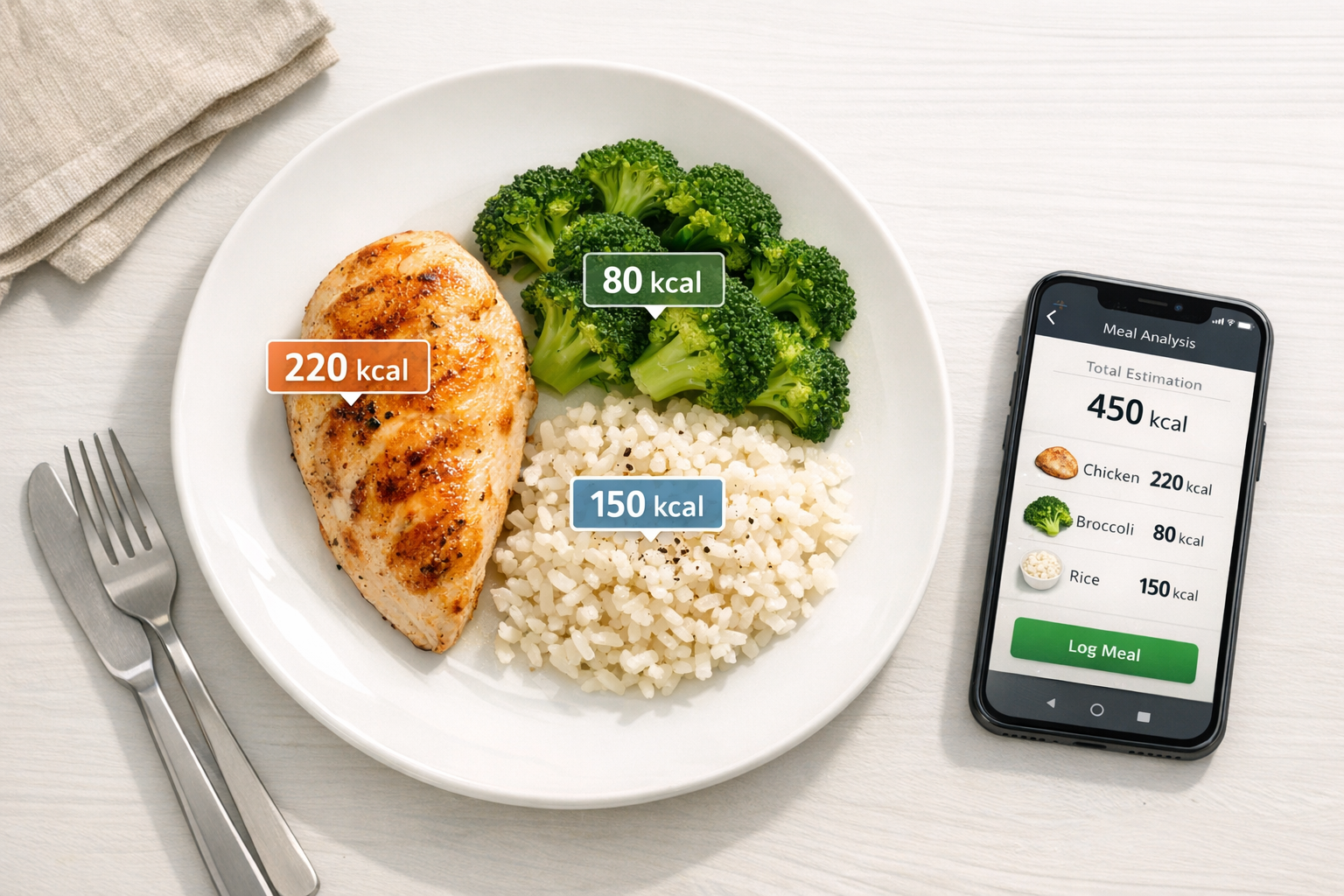
- How It Works: AI uses machine learning and computer vision to identify foods, estimate portions, and calculate calories.
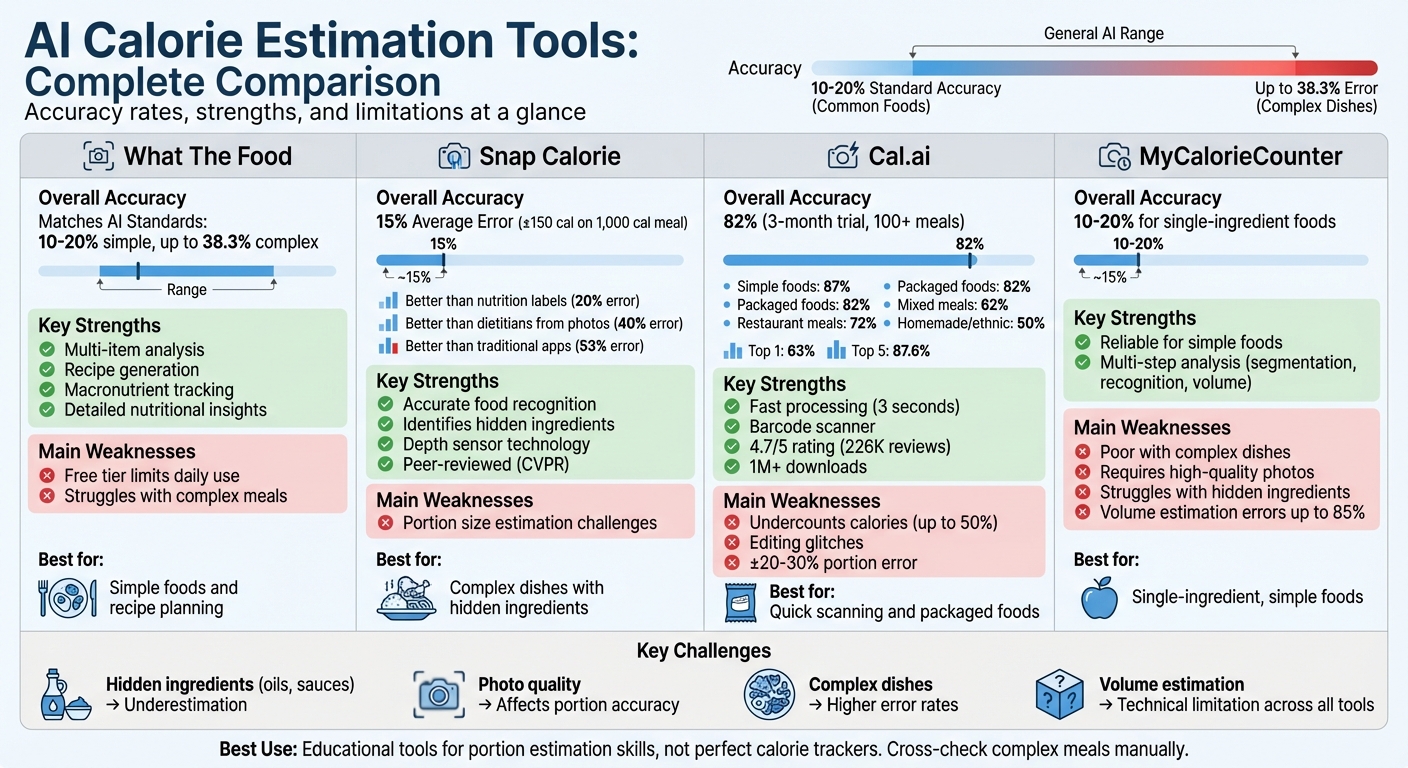
- Accuracy: These tools typically estimate calories within 10–20% of actual values for common foods, but errors can range up to 38.3% for complex dishes.
- Challenges: Hidden ingredients like oils and sauces often lead to underestimations. Portion size estimation depends heavily on photo quality and scale references.
-
Top Tools Reviewed:
- What The Food: Great for simple foods, recipe generation, and macronutrient tracking but struggles with complex meals.
- Snap Calorie: Strong at identifying hidden ingredients and using depth sensors for portions but has limitations with portion size accuracy.
- Cal.ai: Quick processing and a handy barcode scanner, but calorie counts can be underestimated, especially for complex meals.
- MyCalorieCounter: Reliable for single-ingredient foods but less effective with mixed dishes and requires high-quality photos.
Quick Comparison
| Tool | Strengths | Weaknesses |
|---|---|---|
| What The Food | Multi-item analysis, recipe generation | Free tier limits daily use |
| Snap Calorie | Accurate food recognition, depth sensors | Portion size challenges |
| Cal.ai | Fast processing, barcode scanner | Undercounts calories, editing glitches |
| MyCalorieCounter | Simple food accuracy (10–20%) | Struggles with complex dishes |
These tools are not perfect but can help you better understand your eating habits. For complex meals, cross-check results to ensure accuracy. AI calorie counters work best as educational tools, helping you refine portion estimation skills while simplifying the tracking process.
AI Calorie Estimation Tools Comparison: Accuracy Rates and Features
What AI Photo Calorie Tracker Is Most Accurate? (CalAI vs. Snap Calorie vs. MORE)
1. What The Food
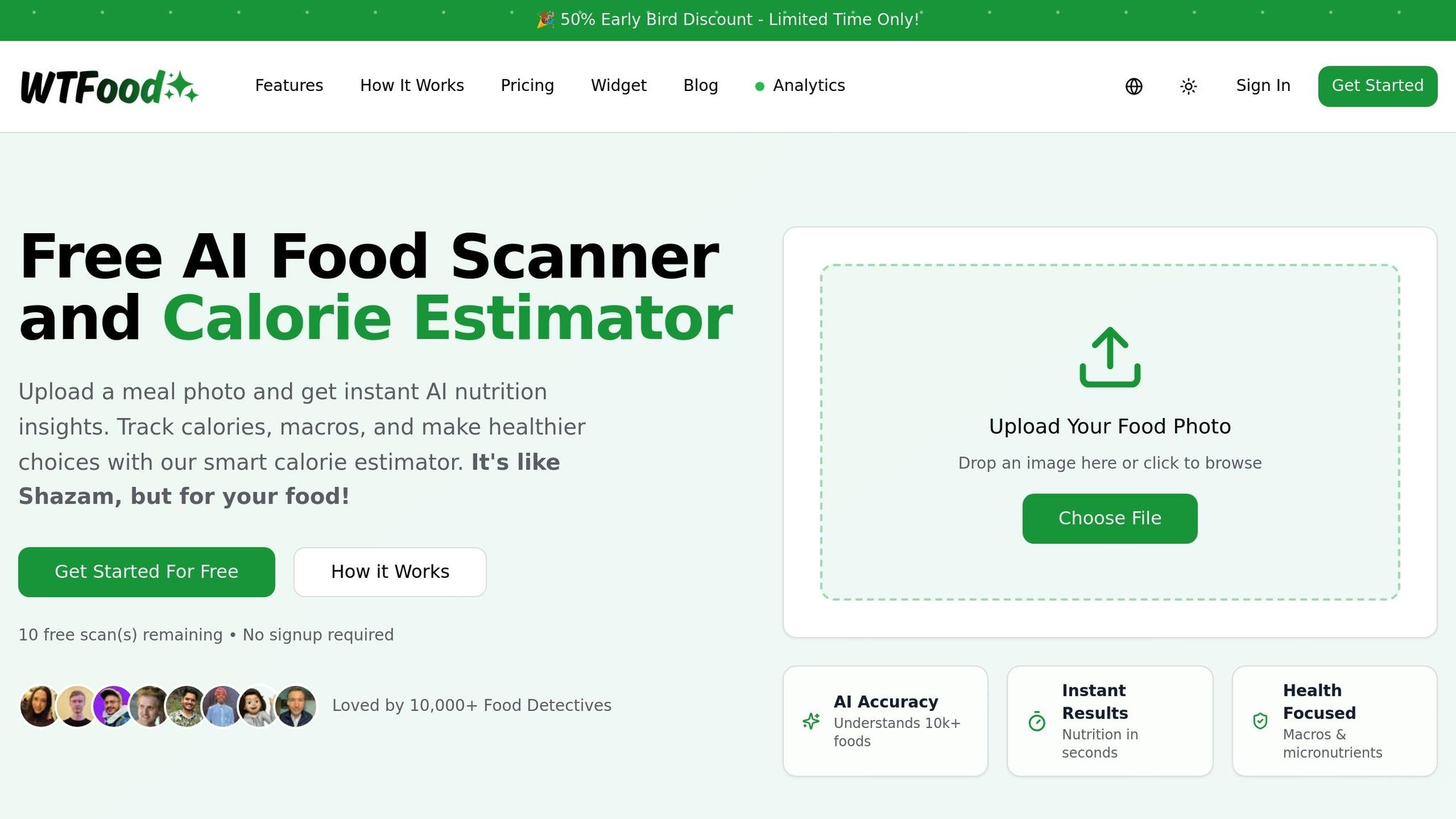
When it comes to AI-powered calorie estimation, What The Food sets itself apart with its precision and added capabilities.
Accuracy
What The Food offers calorie estimates that are on par with other advanced AI-based dietary tools. Studies reveal that AI systems often match - or even surpass - human accuracy, particularly by reducing the underreporting commonly found in traditional 24-hour dietary recalls. The app performs exceptionally well with single or simple food items but struggles more with complex dishes. For mixed meals, relative errors can climb as high as 38.3%.
Handling Complex Foods
The app excels at analyzing straightforward foods like a grilled chicken breast or an apple, delivering consistent results. However, it faces challenges with mixed dishes, such as casseroles. In these cases, it may identify only the primary components while missing hidden ingredients like oils, sauces, or seasonings. These omissions can impact the overall accuracy of its estimates.
Portion Size Estimation
What The Food also tackles portion size estimation by analyzing meal photos. It uses visual cues to gauge serving sizes, but the accuracy can drop if the image lacks a clear reference for scale.
Extra Features
This app goes beyond simple calorie counting. It tracks macronutrients, provides nutritional breakdowns, and even generates recipes from food images. Additional tools include a customizable widget and a meal planner. While the free version offers basic analysis, upgrading to the premium plan unlocks unlimited features [website].
Next, we’ll take a closer look at Snap Calorie’s performance and how it compares.
2. Snap Calorie
Snap Calorie takes a cutting-edge approach to calorie tracking by leveraging AI and computer vision. Created by former Google researchers, the app uses a proprietary dataset of 5,000 dishes to estimate calorie counts visually. This method provides a fresh alternative to more traditional tracking tools.
Accuracy
Snap Calorie delivers an average error rate of 15% (±150 calories on a 1,000-calorie meal). To put that in perspective, it's more reliable than nutrition labels, which allow for a 20% error, professional dietitians estimating from photos (40% error), and traditional apps with a 53% error rate. The app’s technology has been peer-reviewed and presented at the Conference on Computer Vision and Pattern Recognition (CVPR), a prestigious academic event with an acceptance rate of about 25%.
Handling Complex Dishes
One of Snap Calorie's standout features is its ability to handle dishes with hidden ingredients, like oils, fats, and sugars. By analyzing visual cues and using average ingredient values for specific dish types, the app provides estimates for these hidden components. Users can also improve accuracy by adding details, such as menu descriptions or ingredient lists. The app’s training included challenging examples like soups with unclear components and sandwiches where ingredients are obscured.
Portion Size Estimation
Using the smartphone's depth sensor, Snap Calorie calculates food volume to estimate portion sizes. Unlike apps that rely solely on image recognition, this depth-sensing technique adds a layer of precision. The algorithm is trained on images captured from various angles and lighting conditions, making it better equipped to deliver accurate measurements.
Additional Features
Snap Calorie syncs with Apple Health, allowing it to incorporate data like active calories, steps, and workouts to adjust caloric consumption. The free version includes up to three AI logs per day, while the premium subscription offers unlimited logging. Currently available for iOS, the app plans to launch Android support by late 2024.
3. Cal.ai
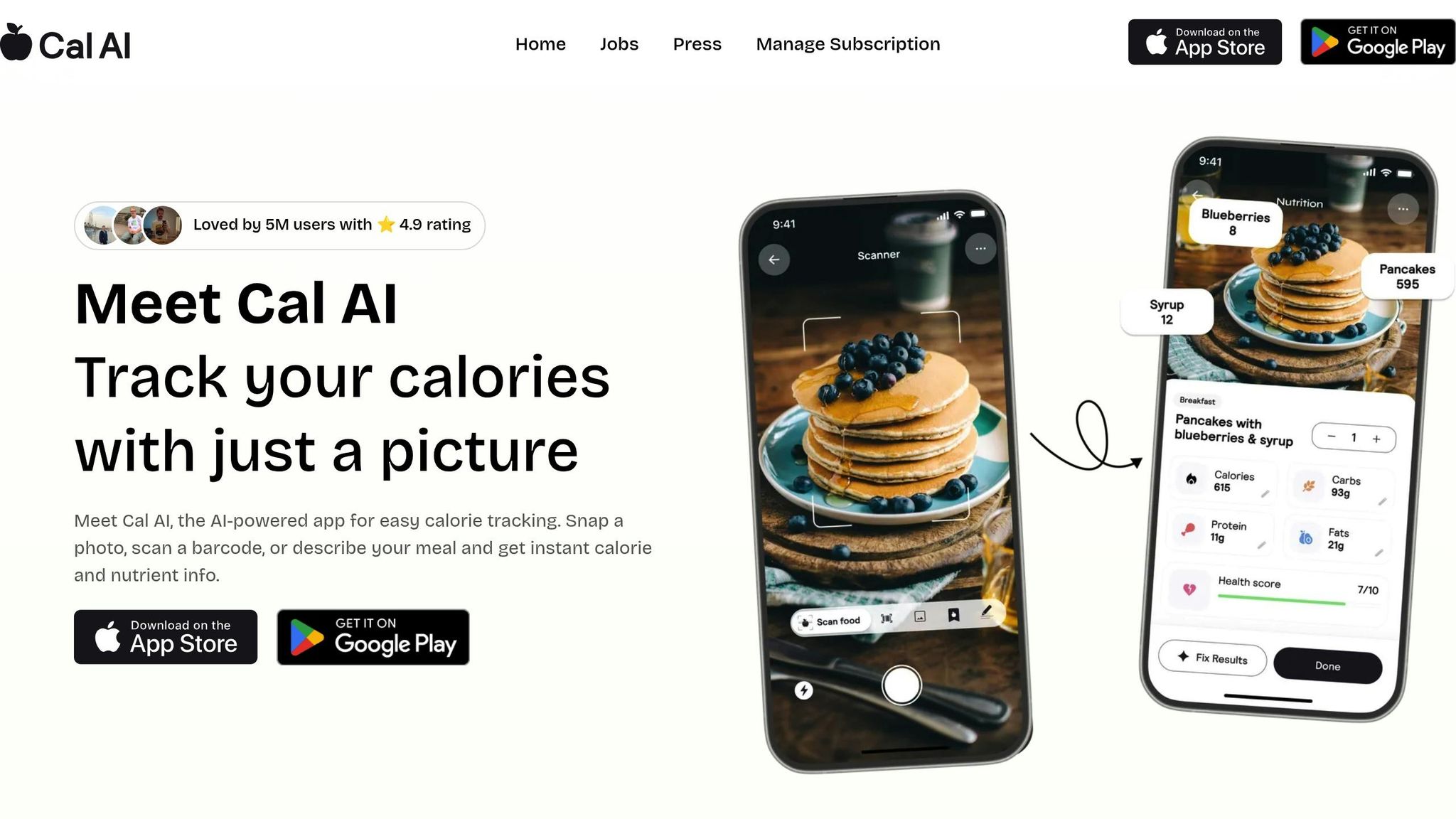
Cal.ai uses the Calorie Mama API to deliver a blend of speed and precision in AI-driven calorie estimation. In comparative testing, the app achieved a Top 1 accuracy of 63% and a Top 5 accuracy of 87.6% - a strong showing in this rapidly advancing field.
Accuracy
Cal.ai's performance varies based on the type of food. For simple foods, the app achieves a Top 5 accuracy of 96.6%, while mixed dishes average 69.4% (Top 1), and beverages come in at 46.3%. Over a three-month trial involving more than 100 meals, the app recorded an overall accuracy rate of 82%.
The app works by comparing users' food photos to a database containing thousands of images. While this provides a convenient alternative to manual calorie tracking, it can struggle with "hidden" ingredients - like oils or mayonnaise - that can significantly impact calorie counts.
Food Complexity Handling
Cal.ai is designed to handle a variety of meals, from homemade dishes to fast food and multi-ingredient items. With over 1 million downloads on Google Play and a 4.7/5 star rating from 226,000 reviews, it has garnered significant user interest.
However, accuracy tends to drop with food complexity. Simple foods, such as plain fruits or meats, reach around 87% accuracy, but mixed meals like salads or stir-fries average 62%, and homemade or ethnic dishes can fall as low as 50%. Occasionally, the app misidentifies certain ingredients - for instance, labeling sausage as steak - though the calorie estimates often remain reasonably close to actual values. Vegetarian substitutes can also pose challenges due to gaps in the database.
Portion Size Estimation
Using computer vision, Cal.ai estimates food volume by analyzing photos and comparing the food's size to standard dishware. This method comes with an error margin of ±20–30%. Some users have noted that the app may undercount calories by as much as 50% compared to results from weighing food on a scale.
| Food Category | Estimated Accuracy Rate |
|---|---|
| Simple foods (fruit, plain meat) | 87% |
| Packaged foods (visible labels) | 82% |
| Standard restaurant meals | 72% |
| Mixed meals (salads, casseroles) | 62% |
| Homemade/Ethnic foods | 50% |
For better results, users are advised to take photos in natural lighting and ensure the entire plate is visible. For layered or complex meals, taking photos from multiple angles can help the AI generate more accurate volume estimates.
Additional Features
Cal.ai comes equipped with several handy tools, including a barcode scanner, a "Food Memory" feature for recalling frequently logged meals, rollover calories for managing deficits, and progress photo tracking. The app also integrates with Apple Health, allowing users to sync activity and step count data.
The free version of the app offers limited scans, while a premium subscription unlocks unlimited scanning capabilities. However, some users have expressed frustration with a few aspects, such as the lack of clear pricing information, occasional bugs where food edits don't save, and a database that could better cover restaurant-specific items.
Up next, we’ll take a closer look at how MyCalorieCounter approaches AI-powered calorie tracking.
sbb-itb-034be4e
4. MyCalorieCounter
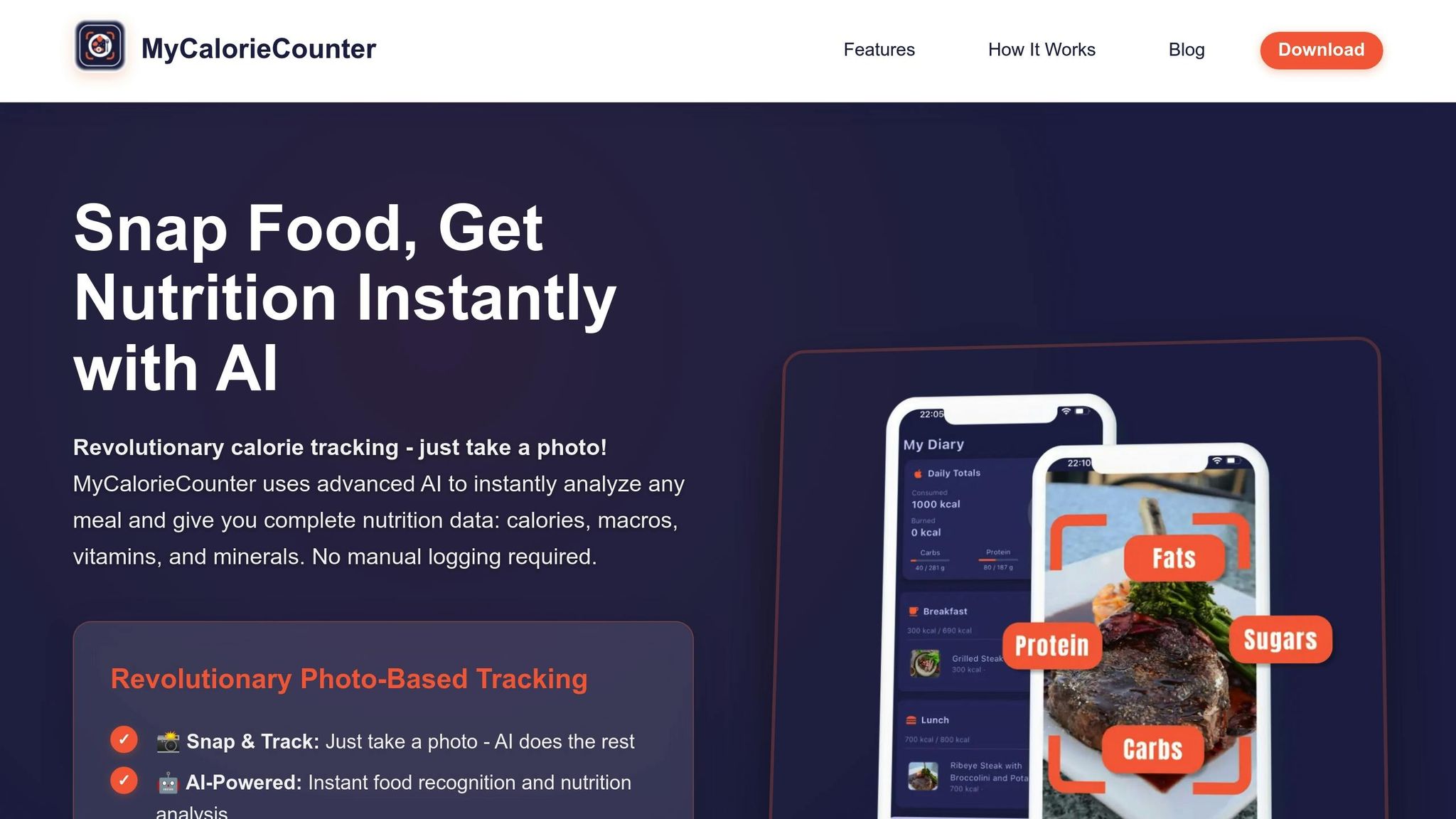
MyCalorieCounter is another AI-based tool designed to estimate calorie content, generally staying within a 10–20% margin of actual values for standard food items.
Accuracy
While the tool performs well with single-ingredient foods, its accuracy drops when analyzing complex dishes. Like many similar apps, MyCalorieCounter struggles with multi-ingredient or homemade meals. This is largely due to its reliance on visual recognition - when ingredients are mixed or obscured, the system has difficulty identifying them.
Handling Food Complexity
One of the biggest challenges MyCalorieCounter faces is accounting for hidden ingredients. Items like oils, sauces, and dressings - think mayonnaise or butter - can significantly increase calorie counts, but these are often overlooked by the AI. For example, a seemingly simple sandwich might be packed with high-calorie spreads, leading to an underestimated calorie total.
The app uses a multi-step process to analyze food images, including segmentation, recognition, and volume estimation. While this approach is sophisticated, it’s not foolproof. Homemade meals, in particular, pose a challenge since ingredient proportions can vary widely from standard recipes.
Estimating Portion Sizes
Portion size estimation is another tricky area for MyCalorieCounter. The app requires clear, well-lit photos to provide accurate volume measurements, which can be a limiting factor for many users.
Strengths and Weaknesses
Here's a quick breakdown of the key strengths and weaknesses of the AI calorie estimation tools discussed earlier.
Each tool brings something different to the table. What The Food stands out with its ability to analyze multiple items at once, generate recipes, and provide detailed nutritional breakdowns. However, its free tier limits daily analyses. Snap Calorie excels at recognizing food items more accurately than its competitors but struggles to estimate portion sizes correctly. Cal.ai processes photos in just three seconds, includes a handy barcode scanner, and boasts an impressive 4.7 out of 5 rating from over 226,000 Google Play users. That said, it often undercounts calories - like estimating grapes at 60 calories instead of 260 - and has issues with saving edits to food entries. MyCalorieCounter offers dependable accuracy for simple, single-ingredient foods (within a 10–20% margin) but falls short when handling complex dishes and requires well-lit, high-quality photos.
| Tool | Main Strengths | Main Weaknesses |
|---|---|---|
| What The Food | Multi-item analysis, recipe generation, detailed nutritional insights, free tier available | Limited daily analyses on free plan |
| Snap Calorie | High accuracy in food recognition | Struggles with estimating portion sizes |
| Cal.ai | Quick processing (3 seconds), barcode scanner, highly rated (4.7/5) | Frequent undercounting, editing glitches |
| MyCalorieCounter | Reliable for simple foods (10–20% margin) | Poor performance with complex dishes, needs clear photos |
One persistent issue across all platforms is volume estimation, which remains a significant technical challenge. In some cases, errors can be as high as 85%. These limitations highlight the gap between current AI capabilities and the accuracy required for replacing traditional dietary assessment methods.
"Important obstacles to the accurate estimation of food quantity need to be overcome before these commercial platforms can be used as a real alternative for traditional dietary assessment methods." – Christophe Matthys, PhD, KU Leuven
Conclusion
When choosing an AI calorie tool, consider your eating habits and the type of meals you usually consume. For simple foods like fresh fruits or grilled chicken, most tools offer an accuracy range of about 10–20%. However, for more intricate meals, it’s wise to double-check the results manually for better precision.
What The Food stands out for its ability to analyze multiple items simultaneously and even suggest recipes while calculating calorie counts. On the other hand, Cal.ai excels in processing images quickly, though it may occasionally underestimate calorie values.
It’s clear that while each tool has its strengths, they all share common limitations.
"The goal is progress, not perfection. Use AI calorie counting as one tool in your overall health toolkit".
These apps are most effective as educational tools, helping you refine your portion estimation skills rather than serving as flawless calorie trackers. When incorporating them into your routine, approach complex meals with a critical mindset.
For everyday use, pick a tool that aligns with your lifestyle. If you frequently eat out or experiment with new dishes, photo-based apps offer unmatched convenience. Just make sure to take clear, well-angled photos and verify the results for complicated meals to get the most out of these tools.
FAQs
How do AI tools provide accurate calorie estimates for complex meals?
AI-powered tools for calorie estimation take meal tracking to the next level by analyzing photos of food. These tools use cutting-edge image recognition and deep learning to identify ingredients, estimate their quantities, and calculate nutritional details like calories and macronutrients. This approach works particularly well for complex dishes like stews or casseroles, which traditional methods often struggle to break down accurately.
By leveraging a vast database of food images and factoring in contextual clues - such as the size of the plate or utensils - these tools fine-tune their estimates even more. Apps like What The Food make it incredibly easy: simply snap a photo of your meal, and within seconds, you’ll get a detailed report on calories, macros, and portion sizes. It’s a game-changer for anyone looking to simplify their nutrition tracking.
What impacts the accuracy of AI calorie estimation apps?
The reliability of AI calorie estimation apps hinges on several factors. One of the most important is image quality - photos with poor lighting, cluttered backgrounds, or unclear angles make it harder for the AI to correctly identify foods and estimate portion sizes. Complex dishes, such as casseroles or mixed meals, can add another layer of difficulty, often leading to inaccuracies in calorie and nutrient calculations. The training data behind the AI is also crucial; apps built using limited datasets or standard food presentations may struggle when faced with unique or regional cuisines.
Other challenges include inherent food characteristics like energy density and preparation methods, which can skew results. Accurately estimating portion sizes becomes even more difficult without reference objects in the photo, such as a fork or a plate for scale. On top of that, user errors - like blurry images or incorrect inputs - can further reduce accuracy. To improve results, use clear, well-lit photos and include any optional details the app allows, such as reference objects or manual adjustments.
How can I improve the accuracy of portion size estimates using AI calorie counters?
To get the most accurate portion size estimates using AI tools like What The Food, keep these tips in mind:
- Use clear, well-lit photos. Natural light or bright indoor lighting works best. Avoid shadows, as they can interfere with the AI's ability to analyze the image accurately.
- Shoot from above. Hold your camera directly over the plate at a 90° angle. This perspective helps the AI detect the food's surface area and shape more effectively. For taller dishes, adding a side view can be helpful.
- Include a size reference. Place a familiar object, like a fork or a standard dinner plate, in the photo. This gives the AI a scale to measure portions accurately.
Make sure the entire serving is visible in the frame, and review the AI's results to confirm accuracy. If the app offers manual adjustments, use them to refine portion sizes based on your knowledge. Following these steps consistently can make AI-generated calorie and portion estimates far more reliable.